As 11gR2 is out for Linux, I decided to upgrade one of my existing 10.2.0.3 database to 11.2.0.1 to get the look and feel of 11gR2. Direct upgrade to 11gR2 is supported from 9.2.0.8 or higher, 10.1.0.5 or higher, 10.2.0.2 or higher and 11.1.0.6 or higher. If you have a database 9.2.0.6 then first you need to upgrade to intermediate release i.e 9.2.0.8 then to 11.2.0.1.
9.2.0.6==>9.2.0.8==>11.2.0.1
8.1.7.0==>8.1.7.4==>10.2.0.4==>11.2.0.1
I will discuss how to upgrade an existing Single Instance 10.2.0.3 database with ASM, having same ORACLE_HOME, to 11gR2 with ASM. The upgrade needs to be performed in two phases:
1. Upgrade the ASM instance
2. Upgrade the database
Upgrade ASM Instance:
===============
There are three ways to upgrade already existing ASM instance:
- Using OUI of Grid Infrastructure
- Using ASM Configuration Assistant
- Manual upgrade
The recommended method to upgrade ASM instance is to use OUI of Grid Infrastructure, which I have used .
STEP 1:
— Create OSASM group:
If you want, you can create a separate group for ASM instance here it is named as ASMADMIN.
# groupadd asmadmin
# usermod -a -G asmadmin oracle
STEP 2:
Before upgrading an ASM instance to 11gR2 it is mandatory to add a ‘user and password’ combination to the password file which is local to node’s ASM instance. Login to database instance “/ as sysdba”:
SQL> create user sood identified by oracle;
SQL> grant sysdba to sood;
SQL> select * from v$pwfile_users;

USERNAME            SYSDB SYSOP
------------------------------ -----       -----
SYS                        TRUE  TRUE
SOOD                     TRUE  FALSE
STEP 3:
From 11gR2 onwards ASM is part of Grid Infrastructure and we need to download Grid Infrastructure software first. To download the software for 11gR2 Grid Infrastructure click here
Start the RunInstaller:
./runInstaller

Click on the Image to Enlarge.
1. It will automatically defaults to the “Upgrade Mode”
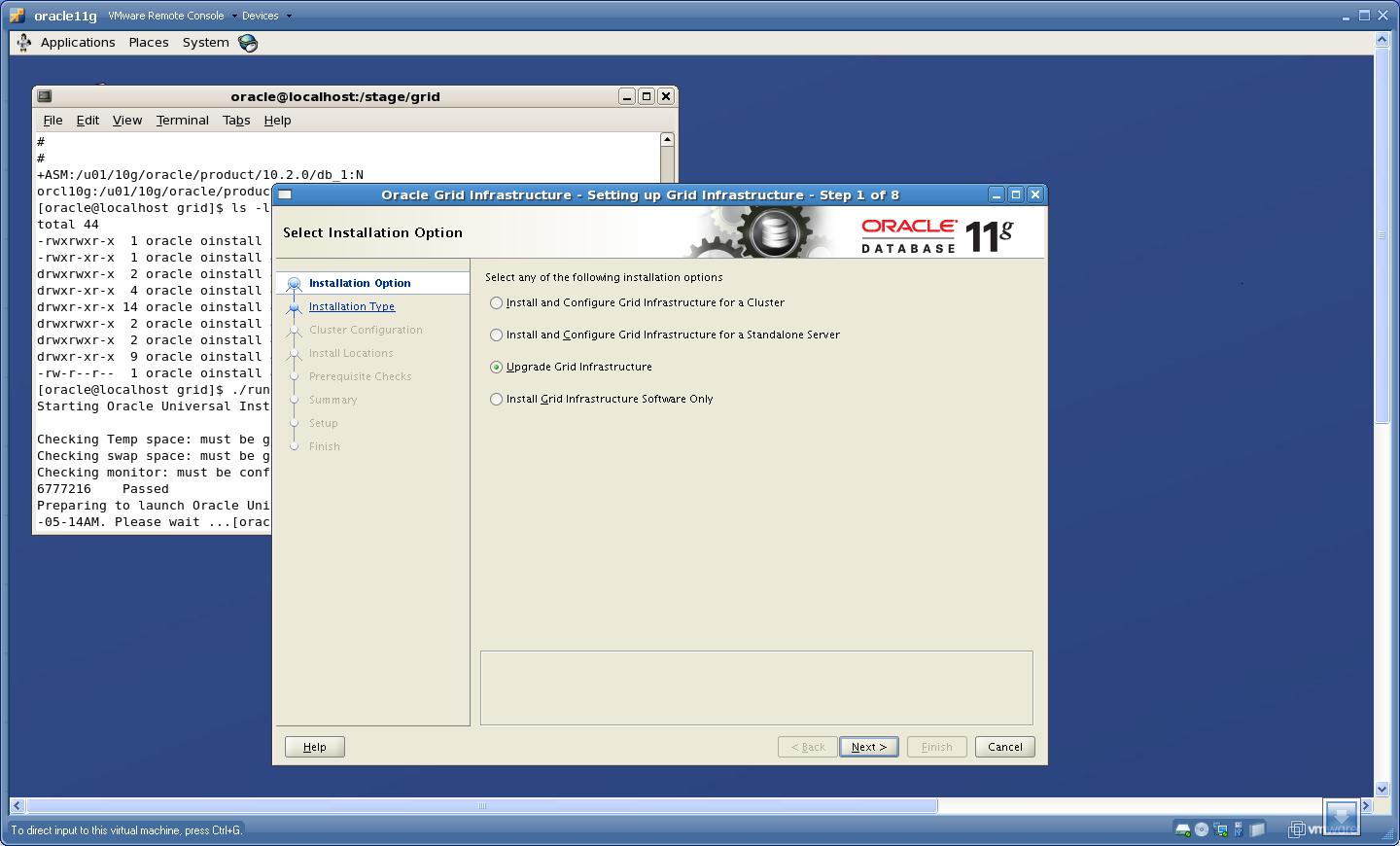
Select “Upgrade Grid Infrastructure” and click Next.
2. On clicking Next, It will detect the already existing ASM instance. Shutdown the Database and ASM instance at this point.
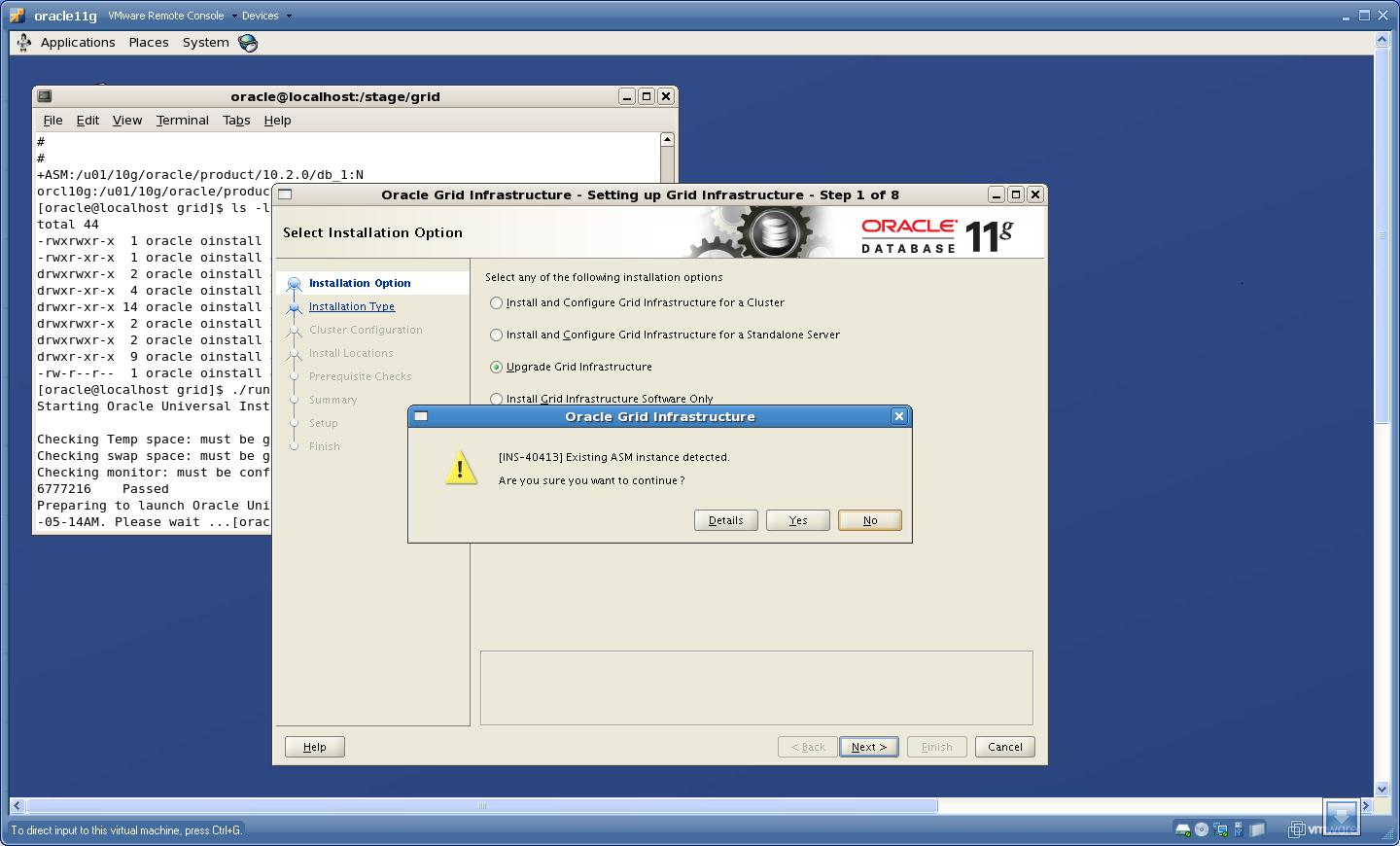 Click “Yes”.
3. Select the Language
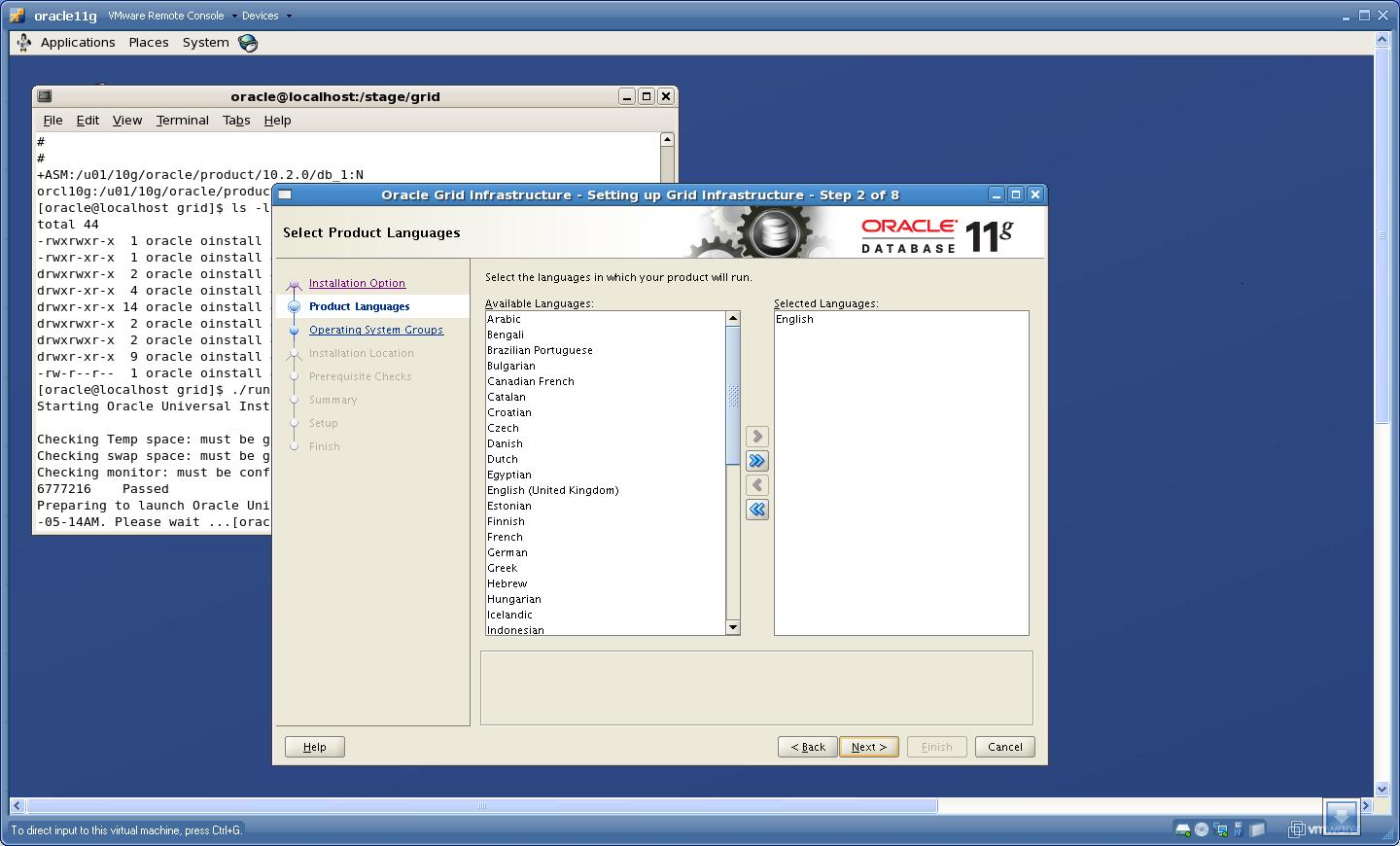 Click “Next”.
4. Enter a Password for ASMSNMP user. The password can be anything you want, though Oracle will ask you to set a password which adhers to Oracle’s standards otherwise a “Red Cross” will be shown in the tab at left hand side. Do not worry about that cross 🙂
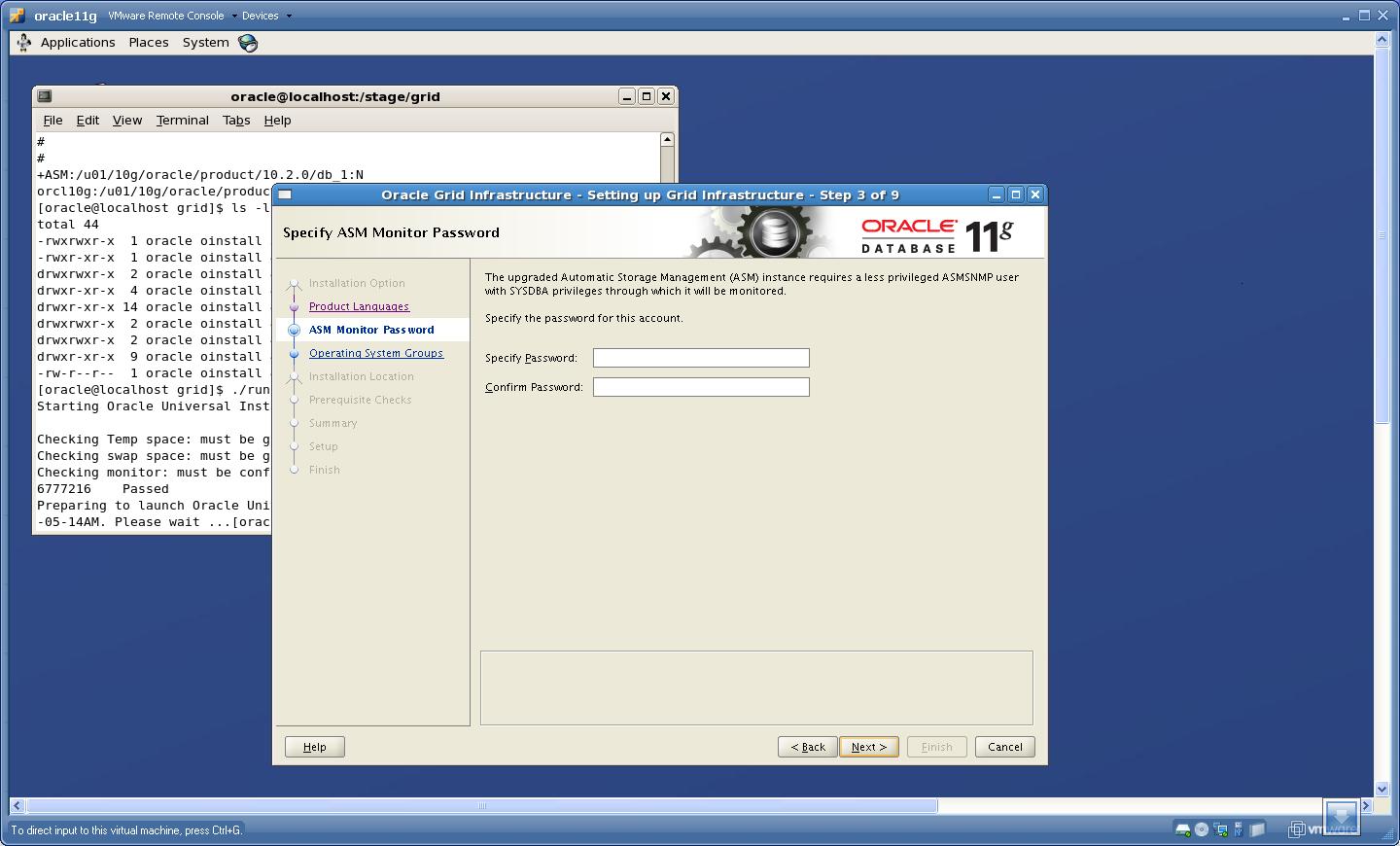 Click “Next”.
5. Provide the Group details
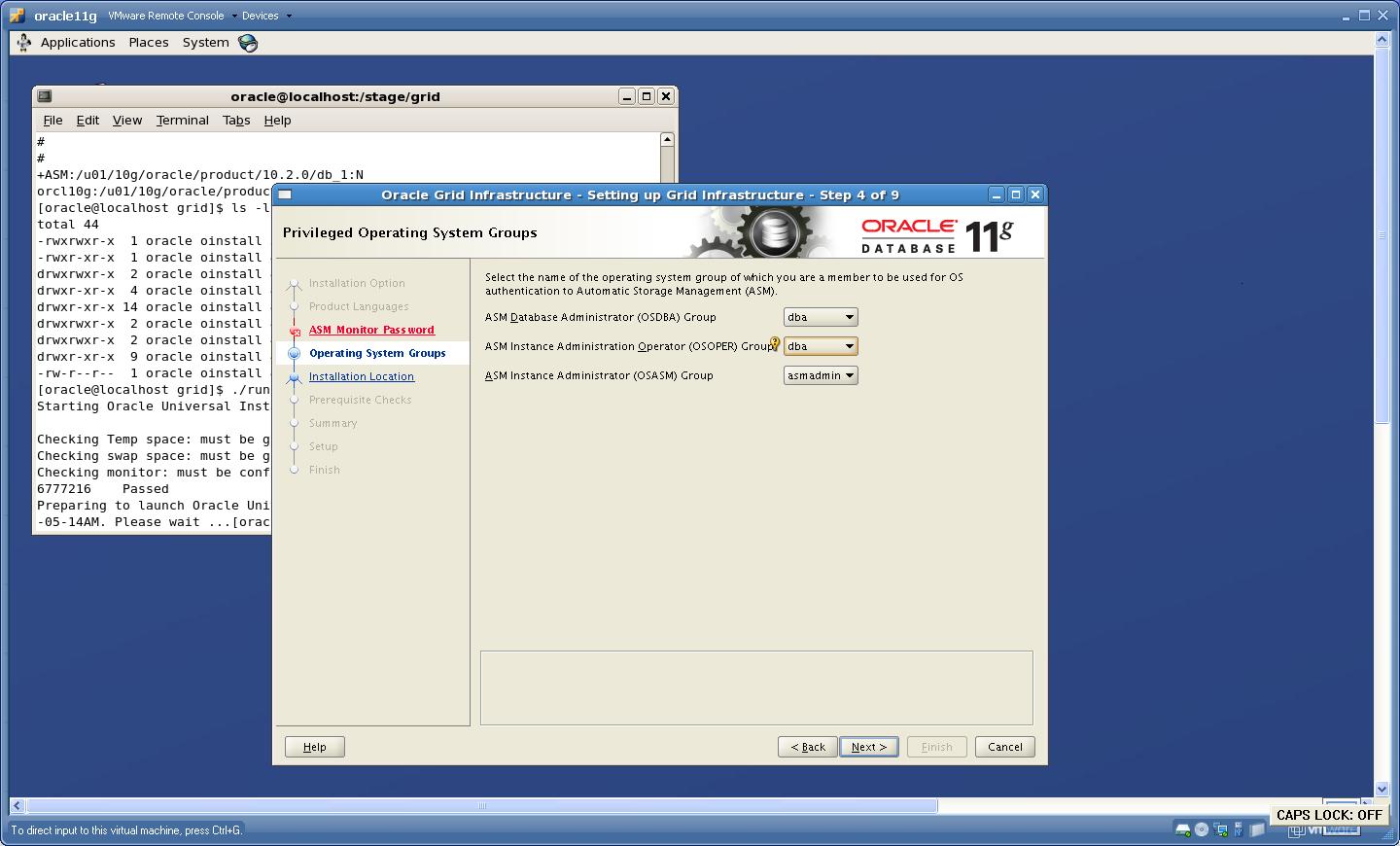 Click “Next”.
 Click “Yes”.
6. Provide the Base and Home location for Grid Infrastructure Home
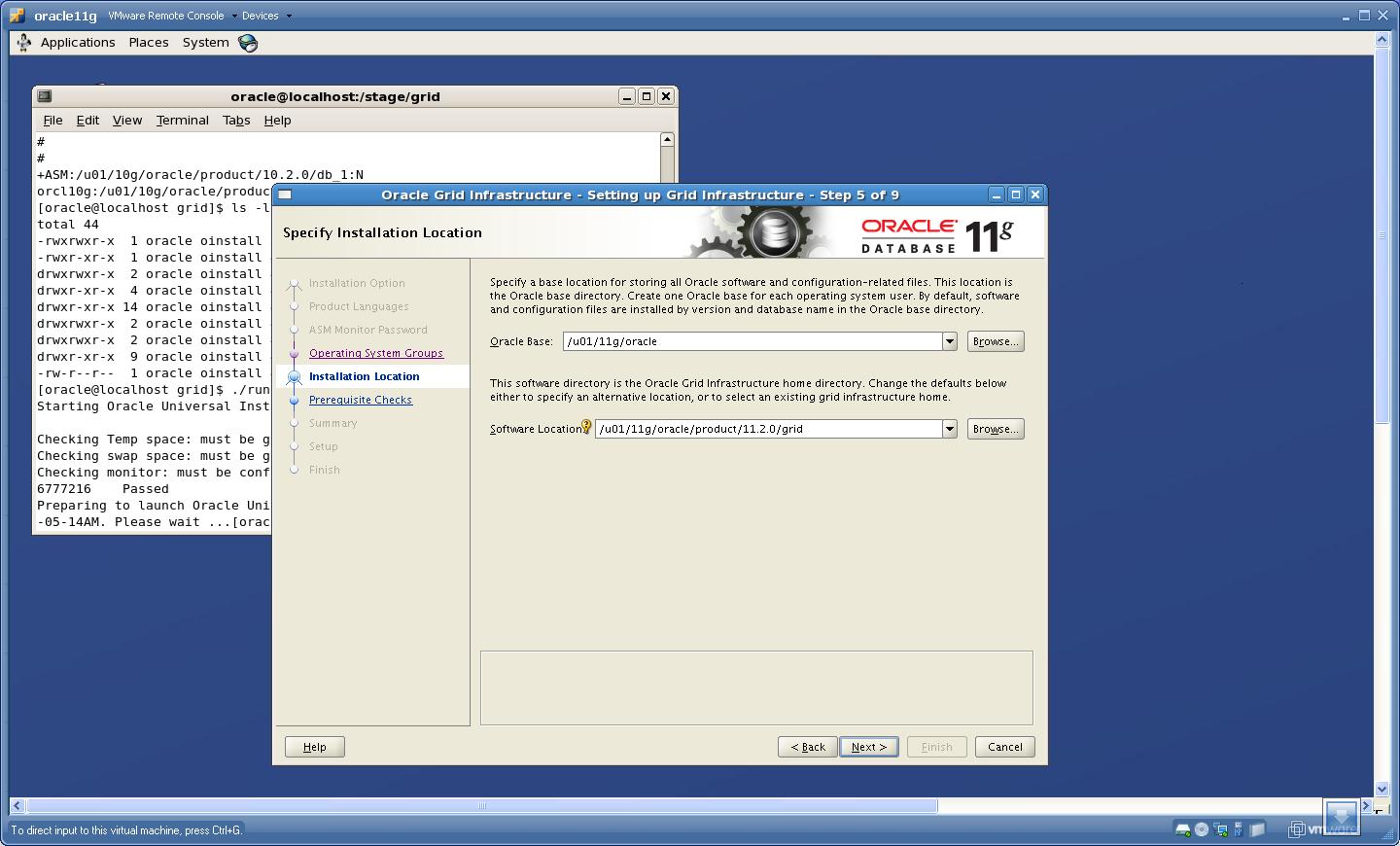 Click “Next”.
7. It will perform the Prerequisite checks here, For more information on this click Installation Fixup script
I have select “Ignore All”
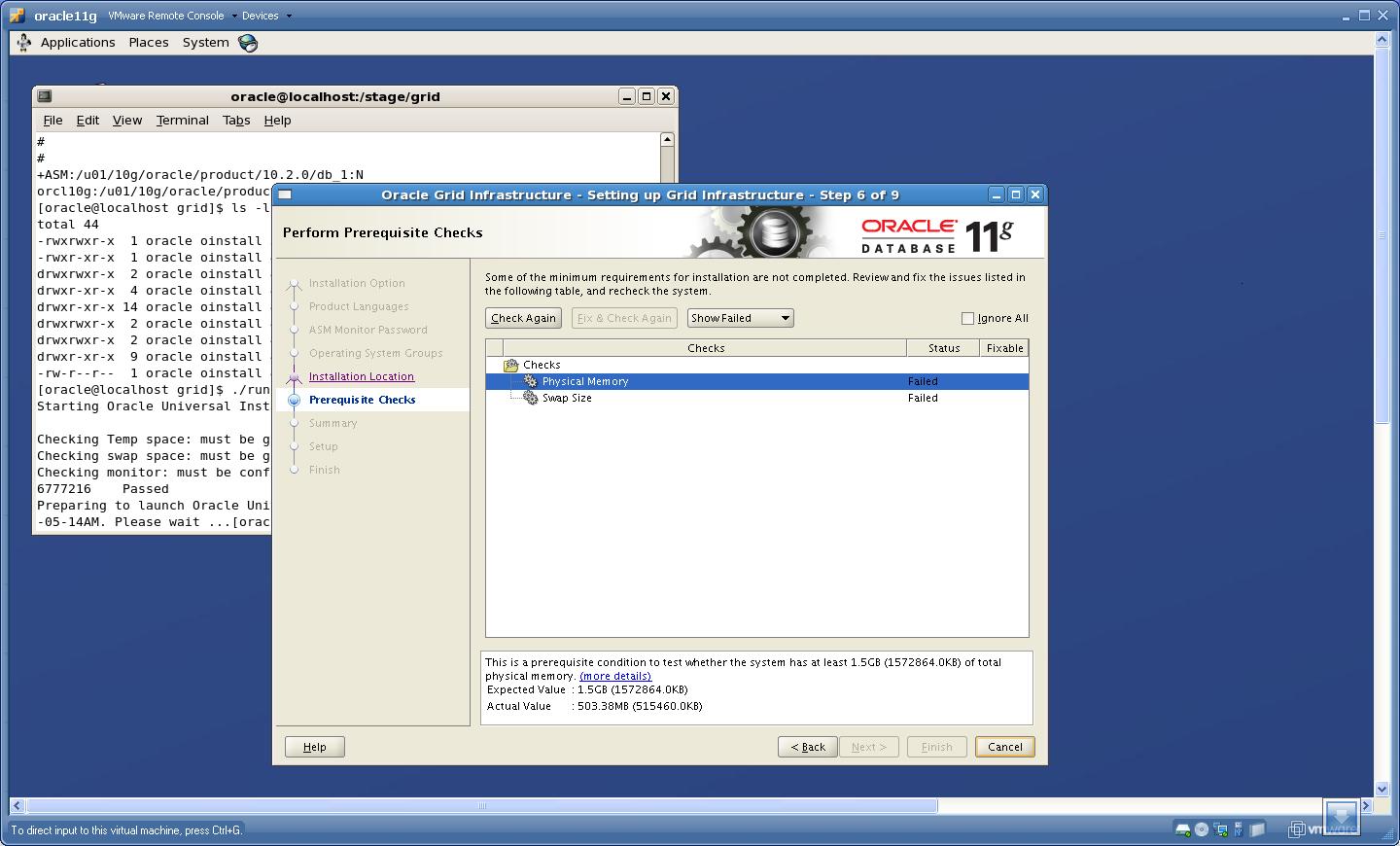 Click “Next”.
8. Now you will see “Summary” page, make sure that the Installation Option is shown as “Upgrade Grid Infrastructure” and Migrate ASM as “True”.
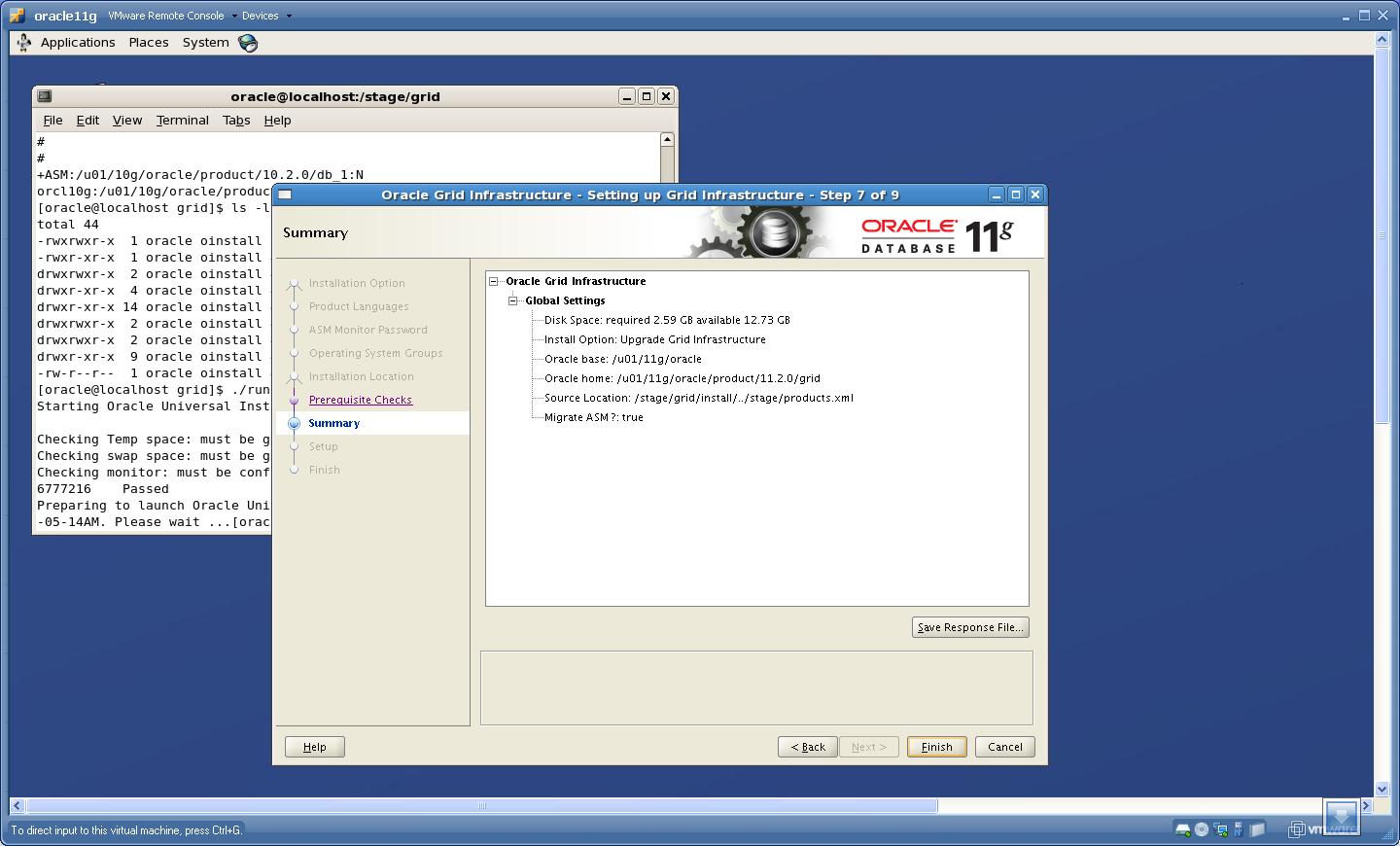 Click “Finish”.
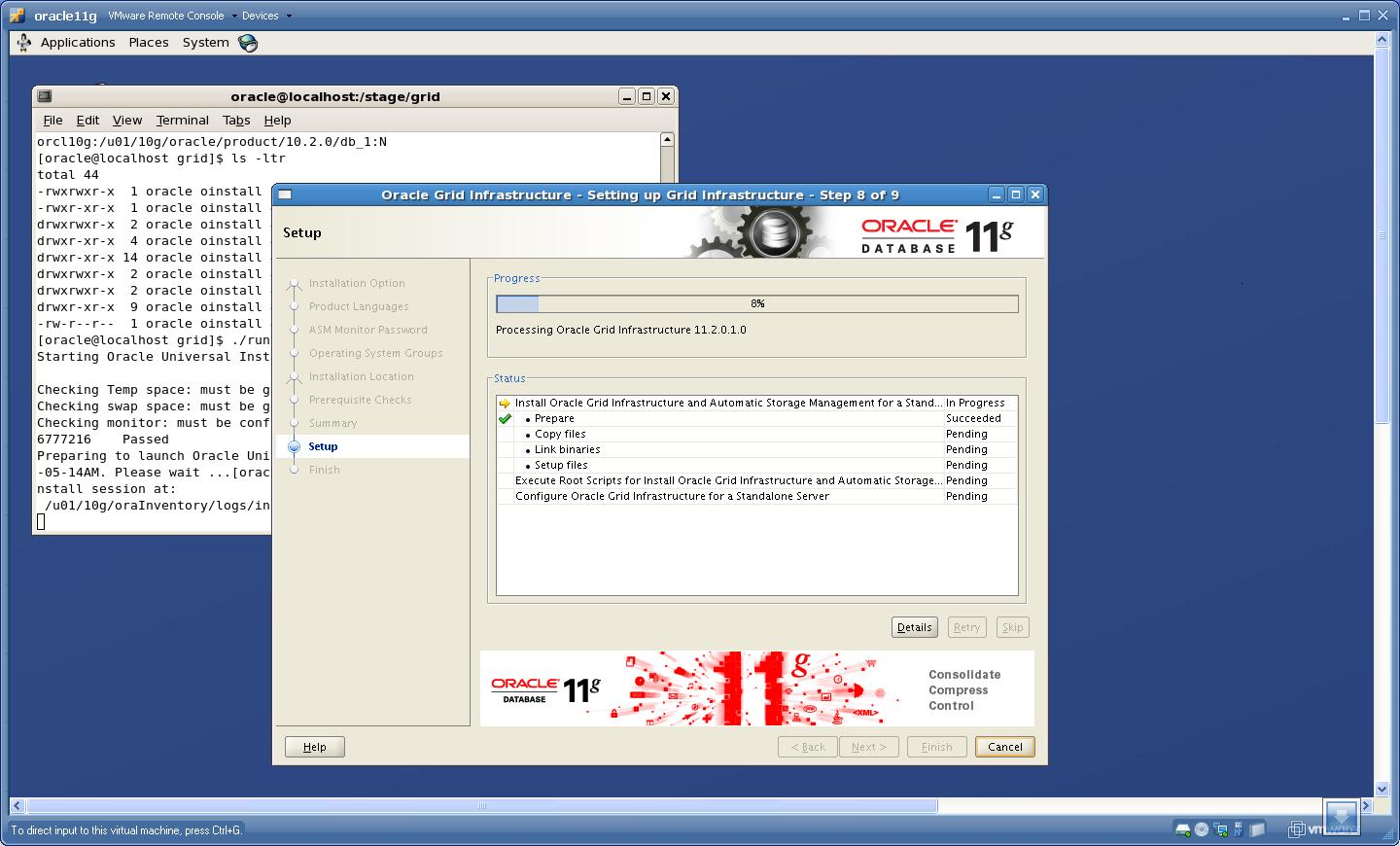
9. Now the setup for “Grid Infrastructure’ is started
 Run the rootupgrade.sh
# ./rootupgrade.sh
[root@localhost ~]# cd /u01/11g/oracle/product/11.2.0/grid/
[root@localhost grid]# pwd
/u01/11g/oracle/product/11.2.0/grid
[root@localhost grid]# ./rootupgrade.sh
Running Oracle 11g root.sh script...

The following environment variables are set as:
ORACLE_OWNER= oracle
ORACLE_HOME=  /u01/11g/oracle/product/11.2.0/grid

Enter the full pathname of the local bin directory: [/usr/local/bin]:
The file "dbhome" already exists in /usr/local/bin.  Overwrite it? (y/n)
[n]: y
Copying dbhome to /usr/local/bin ...
The file "oraenv" already exists in /usr/local/bin.  Overwrite it? (y/n)
[n]: y
Copying oraenv to /usr/local/bin ...
The file "coraenv" already exists in /usr/local/bin.  Overwrite it? (y/n)
[n]: y
Copying coraenv to /usr/local/bin ...

Entries will be added to the /etc/oratab file as needed by
Database Configuration Assistant when a database is created
Finished running generic part of root.sh script.
Now product-specific root actions will be performed.
2009-09-05 11:46:25: Checking for super user privileges
2009-09-05 11:46:25: User has super user privileges
2009-09-05 11:46:25: Parsing the host name
Using configuration parameter file: /u01/11g/oracle/product/11.2.0/grid/crs/install/crsconfig_params
Creating trace directory
LOCAL ADD MODE
Creating OCR keys for user 'oracle', privgrp 'oinstall'..
Operation successful.
CSS appears healthy
Stopping CSSD.
Shutting down CSS daemon.
Shutdown request successfully issued.
Shutdown has begun. The daemons should exit soon.
CRS-4664: Node localhost successfully pinned.
Adding daemon to inittab
CRS-4123: Oracle High Availability Services has been started.
ohasd is starting

localhost     2009/09/05 11:49:02     /u01/11g/oracle/product/11.2.0/grid/cdata/localhost/backup_20090905_114902.olr
Successfully configured Oracle Grid Infrastructure for a Standalone Server
Updating inventory properties for clusterware
Starting Oracle Universal Installer...

Checking swap space: must be greater than 500 MB.   Actual 885 MB    Passed
The inventory pointer is located at /etc/oraInst.loc
The inventory is located at /u01/10g/oraInventory
'UpdateNodeList' was successful.
[root@localhost grid]#
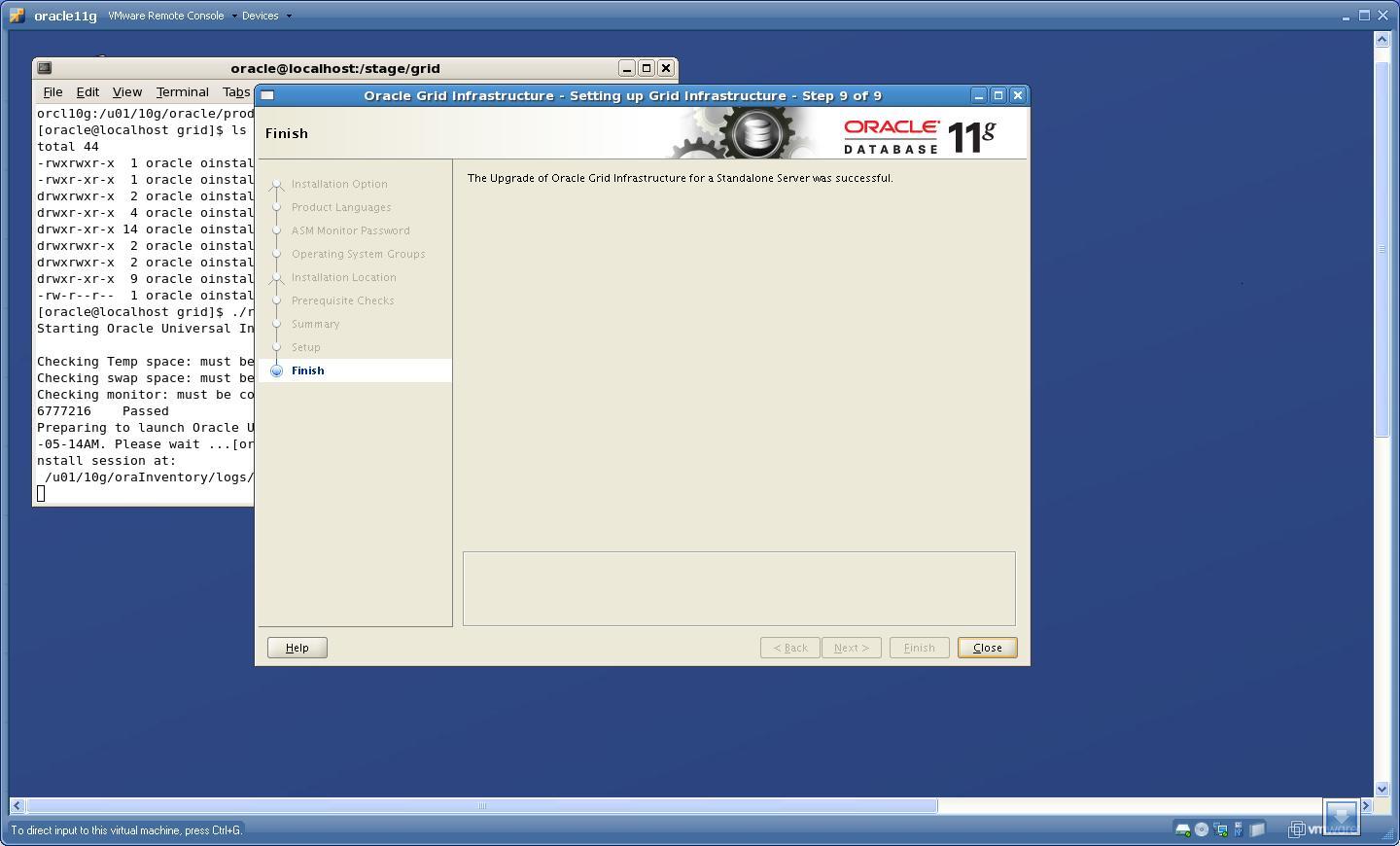
10. After the upgrade I have checked /etc/oratab file and found the entry of ASM pointing to new home i.e now ASM is a part of “Grid Infrastructure”
“+ASM:/u01/11g/oracle/product/11.2.0/grid:N”
Upgrade Database Instance:
===================
NOTE: DO NOT SHUTDOWN DATABASE BEFORE RUNNING DBUA.
STEP 1: Install The Software:
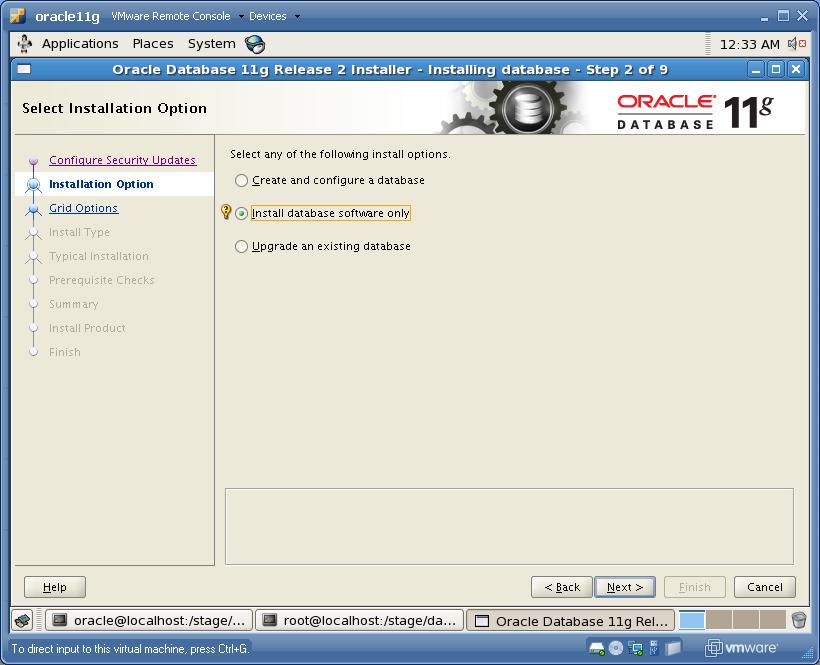
To download Oracle Database 11gR2 software click Here . Execute runInstaller to install “SOFTWARE ONLY” option, you can follow this link to install the software. Make sure that you select “software only” option as shown below rest of the steps are same as described in above link.
STEP 2: Run Pre-Upgrade Information tool
I have installed the software under “/u01/11g/oracle/product/11.2.0/dbhome_1” location. Once the software is installed, then go to location $ORACLE_HOME/rdbms/admin and copy utlu112i.sql script to /tmp directory. Now login to 10g database “/ as sysdba” and startup the 10g database, then:
SQL> spool /tmp/upgrade.spl
SQL> @/tmp/utlu112i.sql
SQL> spool off</span>
Following is the output of this script from my database:
Oracle Database 11.2 Pre-Upgrade Information Tool    09-04-2009 01:54:32
.
**********************************************************************
Database:
**********************************************************************
--> name:          ORCL10G
--> version:       10.2.0.3.0
--> compatible:    10.2.0.3.0
--> blocksize:     8192
--> platform:      Linux IA (32-bit)
--> timezone file: V3
.
**********************************************************************
Tablespaces: [make adjustments in the current environment]
**********************************************************************
--> SYSTEM tablespace is adequate for the upgrade.
.... minimum required size: 724 MB
.... AUTOEXTEND additional space required: 244 MB
--> UNDOTBS1 tablespace is adequate for the upgrade.
.... minimum required size: 464 MB
.... AUTOEXTEND additional space required: 439 MB
--> SYSAUX tablespace is adequate for the upgrade.
.... minimum required size: 447 MB
.... AUTOEXTEND additional space required: 207 MB
--> TEMP tablespace is adequate for the upgrade.
.... minimum required size: 61 MB
.... AUTOEXTEND additional space required: 41 MB
.
**********************************************************************
Flashback: OFF
**********************************************************************
**********************************************************************
Update Parameters: [Update Oracle Database 11.2 init.ora or spfile]
**********************************************************************
WARNING: --> "sga_target" needs to be increased to at least 336 MB
WARNING: --> "java_pool_size" needs to be increased to at least 64 MB
WARNING: --> "pga_aggregate_target" needs to be increased to at least 24 MB
.
**********************************************************************
Renamed Parameters: [Update Oracle Database 11.2 init.ora or spfile]
**********************************************************************
-- No renamed parameters found. No changes are required.
.
**********************************************************************
Obsolete/Deprecated Parameters: [Update Oracle Database 11.2 init.ora or spfile]
**********************************************************************
--> background_dump_dest         11.1       DEPRECATED   replaced by
"diagnostic_dest"
--> user_dump_dest               11.1       DEPRECATED   replaced by
"diagnostic_dest"
--> core_dump_dest               11.1       DEPRECATED   replaced by
"diagnostic_dest"
.
**********************************************************************
Components: [The following database components will be upgraded or installed]
**********************************************************************
--> Oracle Catalog Views         [upgrade]  VALID
--> Oracle Packages and Types    [upgrade]  VALID
--> JServer JAVA Virtual Machine [upgrade]  VALID
--> Oracle XDK for Java          [upgrade]  VALID
--> Oracle Workspace Manager     [upgrade]  VALID
--> OLAP Analytic Workspace      [upgrade]  VALID
--> OLAP Catalog                 [upgrade]  VALID
--> EM Repository                [upgrade]  VALID
--> Oracle Text                  [upgrade]  VALID
--> Oracle XML Database          [upgrade]  VALID
--> Oracle Java Packages         [upgrade]  VALID
--> Oracle interMedia            [upgrade]  VALID
--> Spatial                      [upgrade]  VALID
--> Data Mining                  [upgrade]  VALID
--> Expression Filter            [upgrade]  VALID
--> Rule Manager                 [upgrade]  VALID
--> Oracle OLAP API              [upgrade]  VALID
.
**********************************************************************
Miscellaneous Warnings
**********************************************************************
WARNING: --> Database is using a timezone file older than version 11.
.... After the release migration, it is recommended that DBMS_DST package
.... be used to upgrade the 10.2.0.3.0 database timezone version
.... to the latest version which comes with the new release.
WARNING: --> Database contains schemas with stale optimizer statistics.
.... Refer to the Upgrade Guide for instructions to update
.... schema statistics prior to upgrading the database.
.... Component Schemas with stale statistics:
....   SYS
....   XDB
WARNING: --> Database contains schemas with objects dependent on network
packages.
.... Refer to the Upgrade Guide for instructions to configure Network ACLs.
WARNING: --> EM Database Control Repository exists in the database.
.... Direct downgrade of EM Database Control is not supported. Refer to the
.... Upgrade Guide for instructions to save the EM data prior to upgrade.
WARNING:--> recycle bin in use.
.... Your recycle bin turned on.
.... It is REQUIRED
.... that the recycle bin is empty prior to upgrading
.... your database.
.... The command:  PURGE DBA_RECYCLEBIN
.... must be executed immediately prior to executing your upgrade.
PL/SQL procedure successfully completed.
SQL> spool off
Adjust the warnings shown by Pre-Upgrade Information tool.
STEP 3 : Upgrade using DBUA
Execute the DBUA from 11gR2 software home as
$ cd $ORACLE_HOME/bin
$./dbua
1.
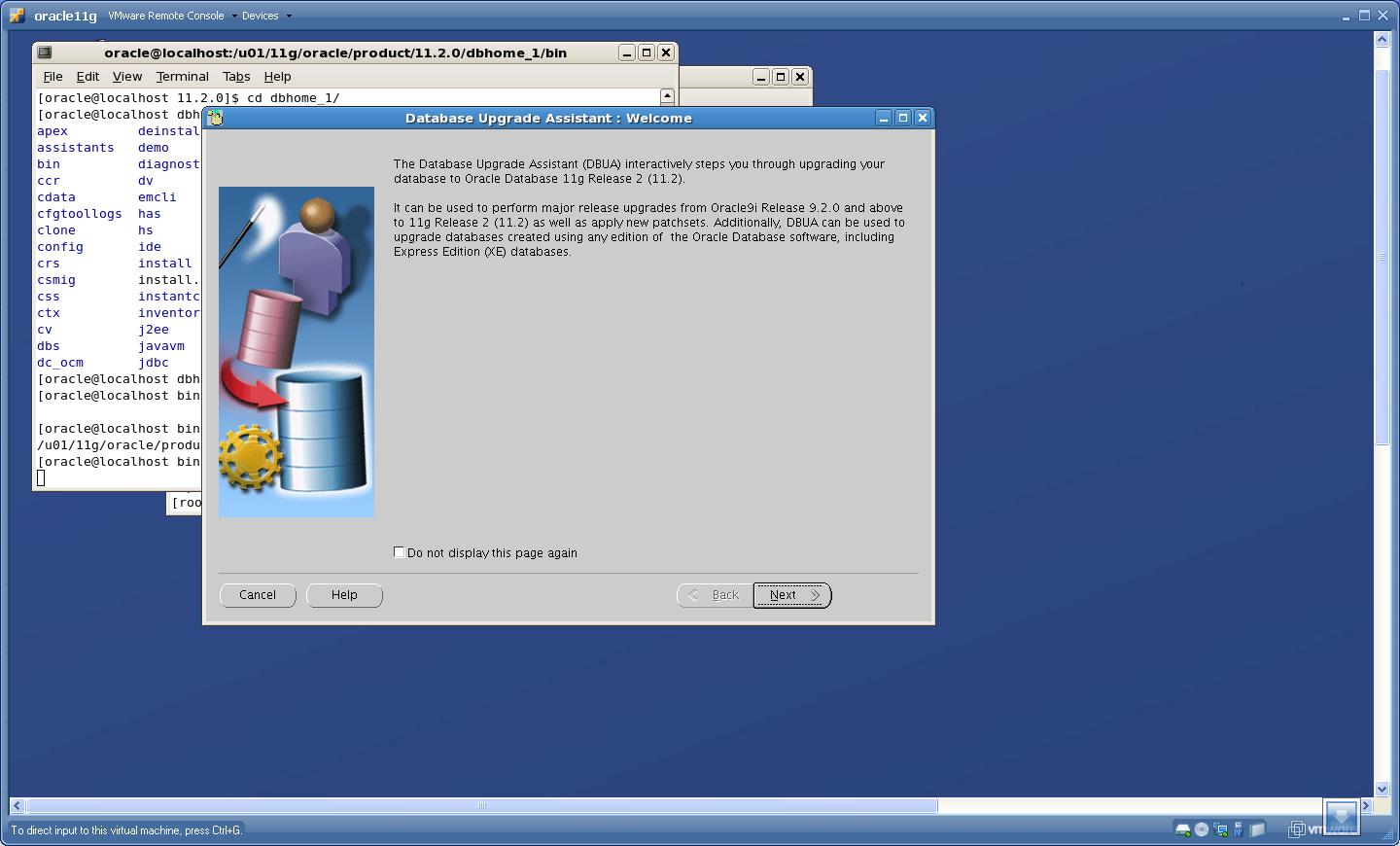
Click “Next”
2. Select the database that you want to upgrade
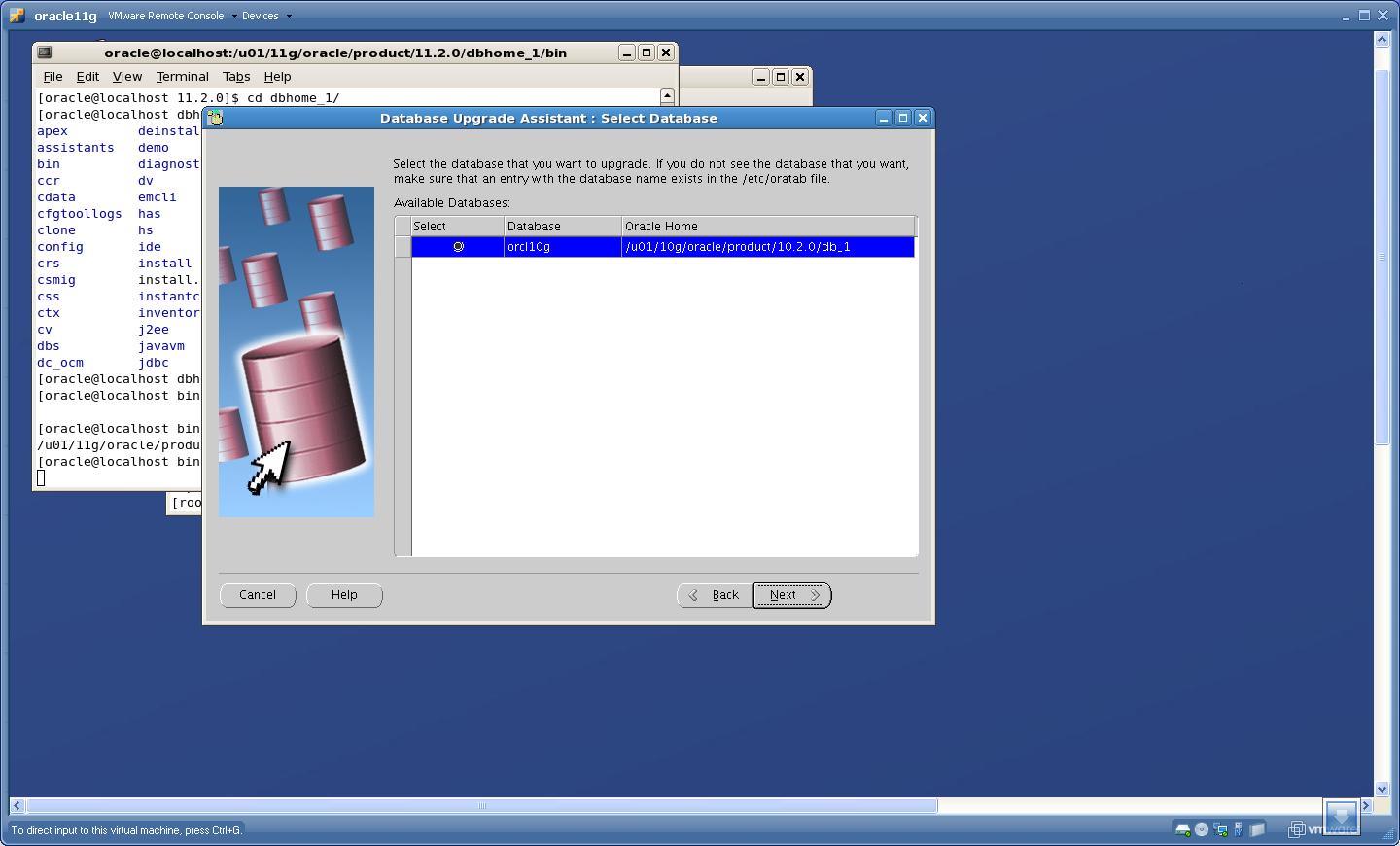 Click “Next”
3. Here DBUA will show warnings that were not solved after running Pre-Upgrade Information tool
 Click “Yes”
4. Turn OFF archiving while upgrading
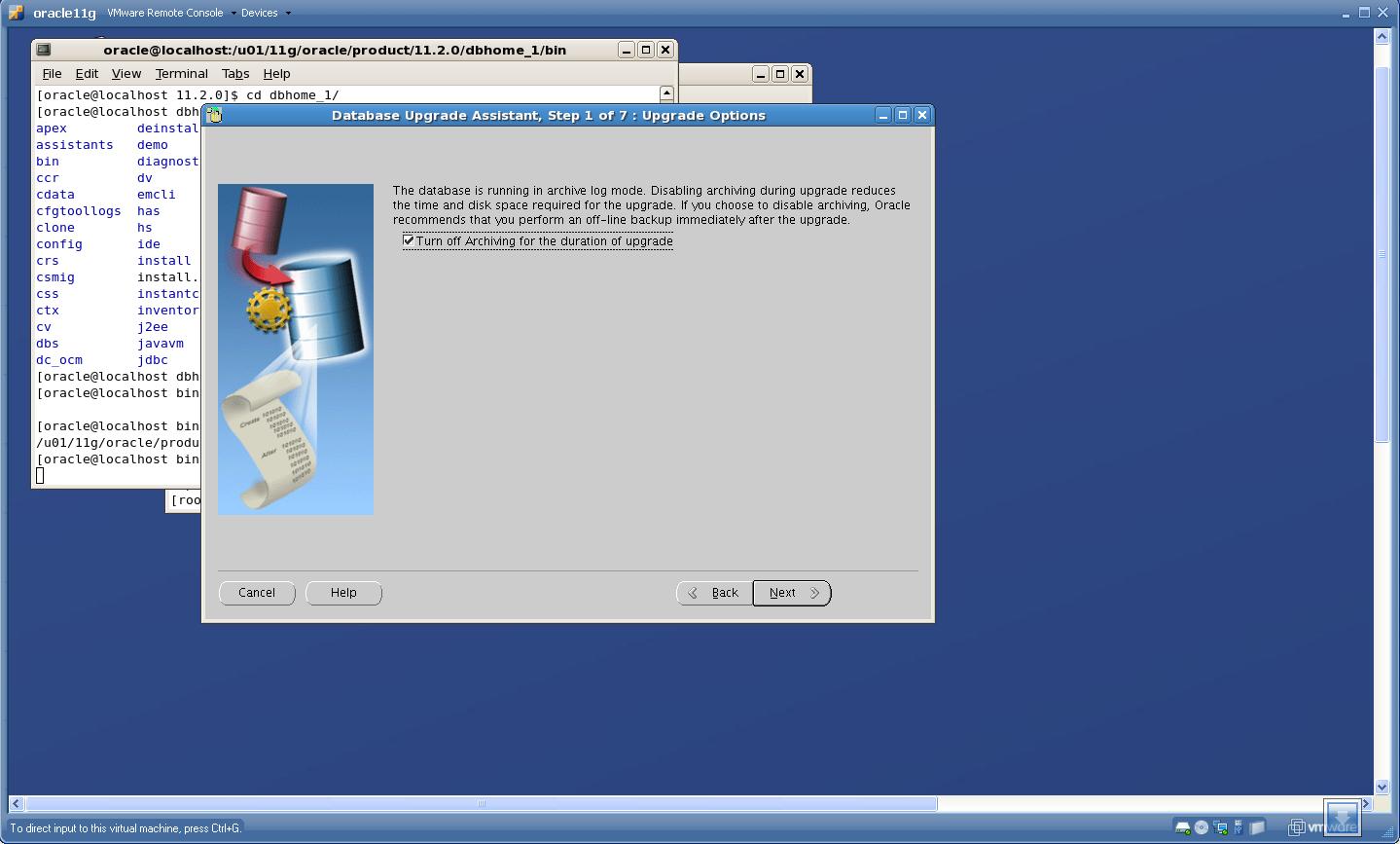 Click “Next”
5. Check whether you want to move the datafiles while upgrade, though the “move datafile” check-box was not highlighted when I upgraded
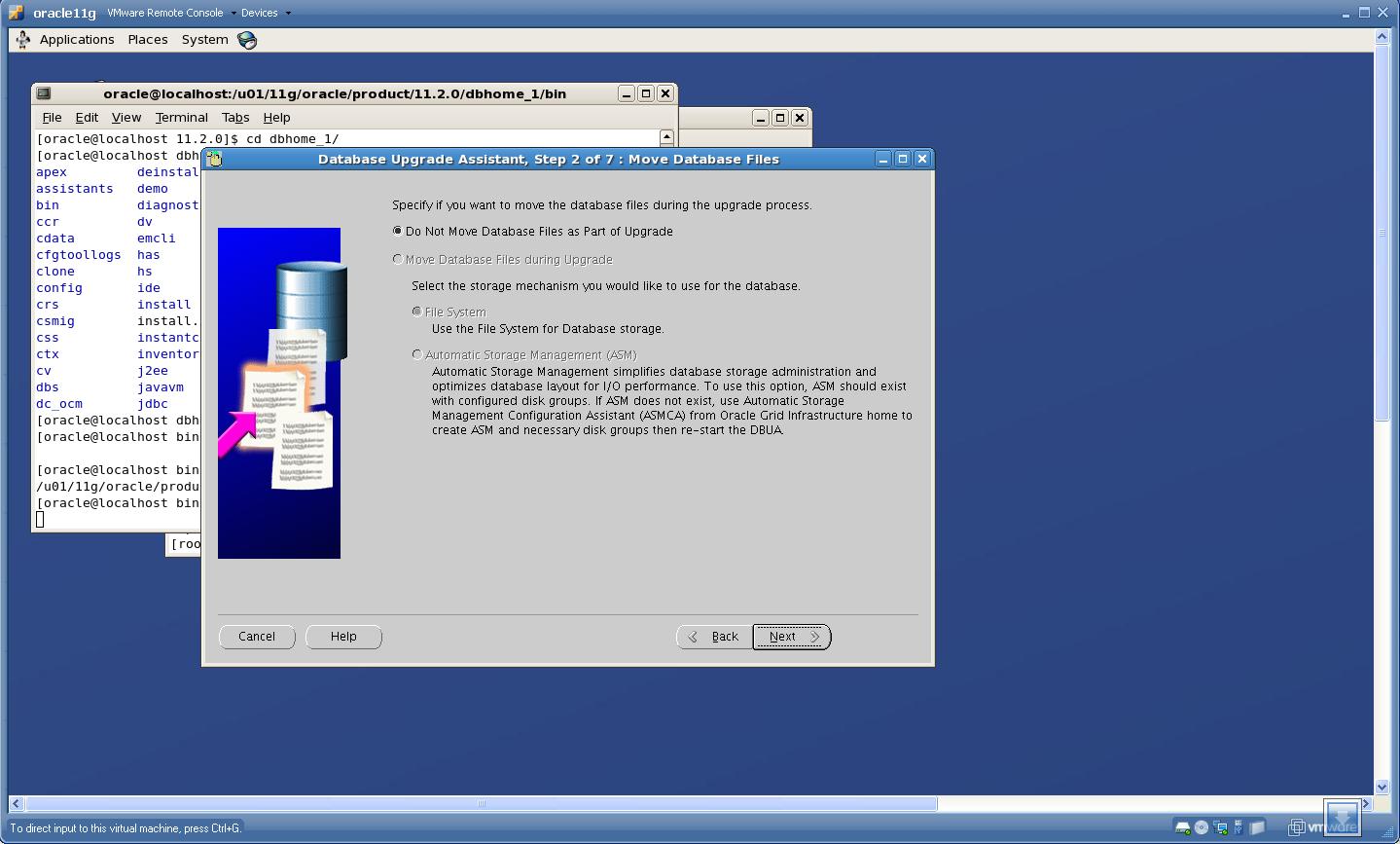 Click “Next”.
6. Specify “FRA” and “Diagnostic Destination”
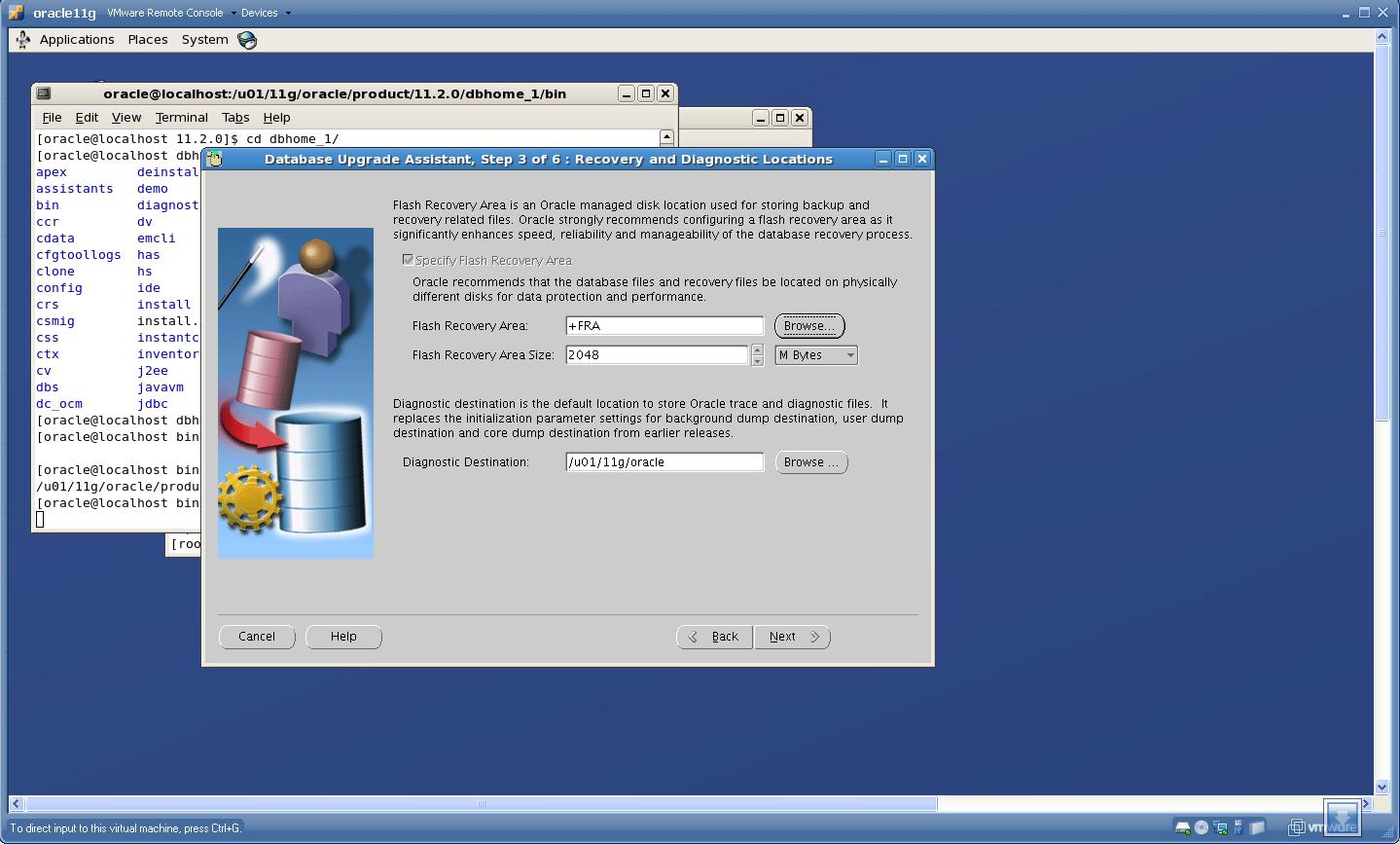 Click “Next”.
7. Check configuration for EM
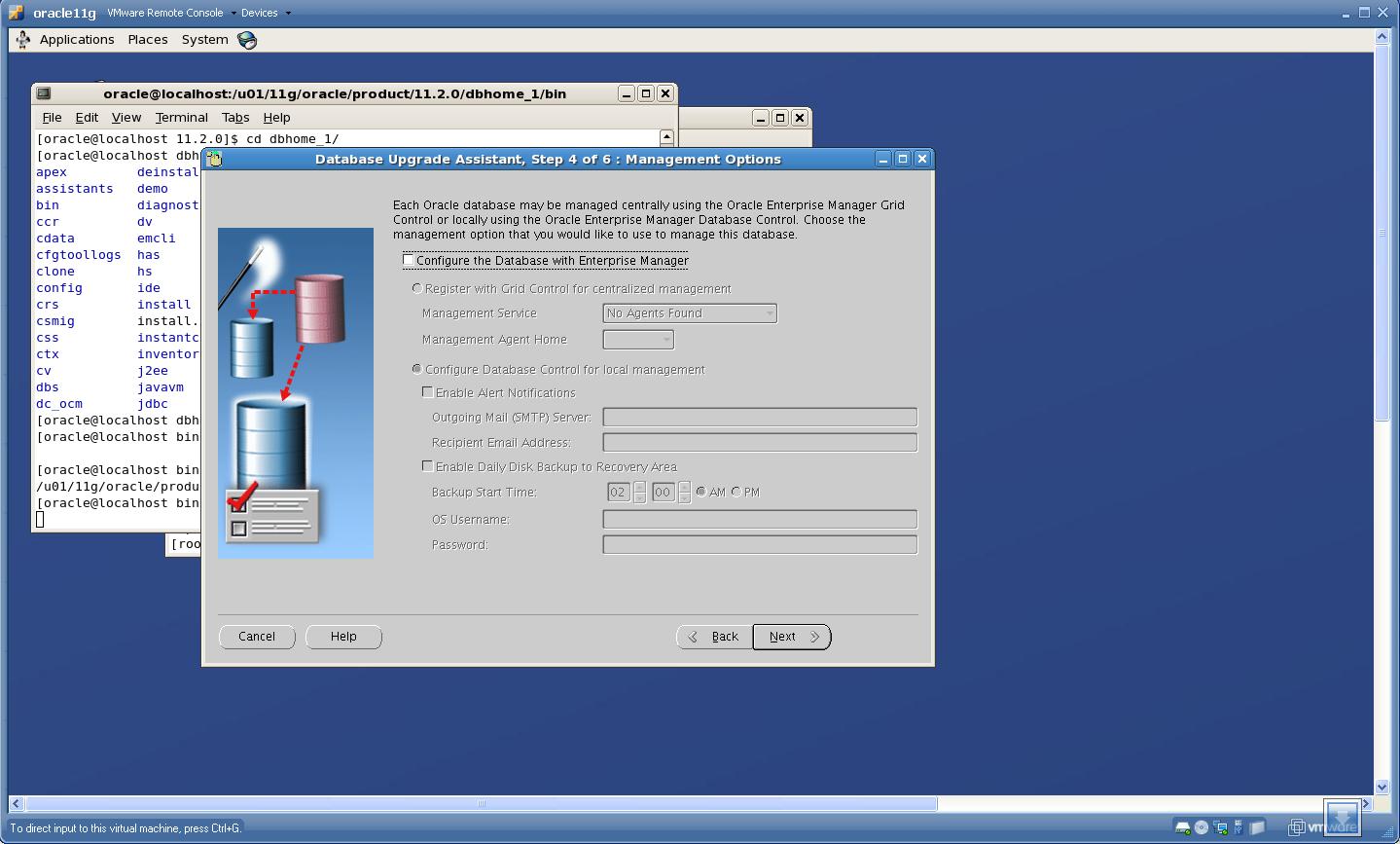 Click “Next”.
8. Check “Summary” page
 Click “Finish”
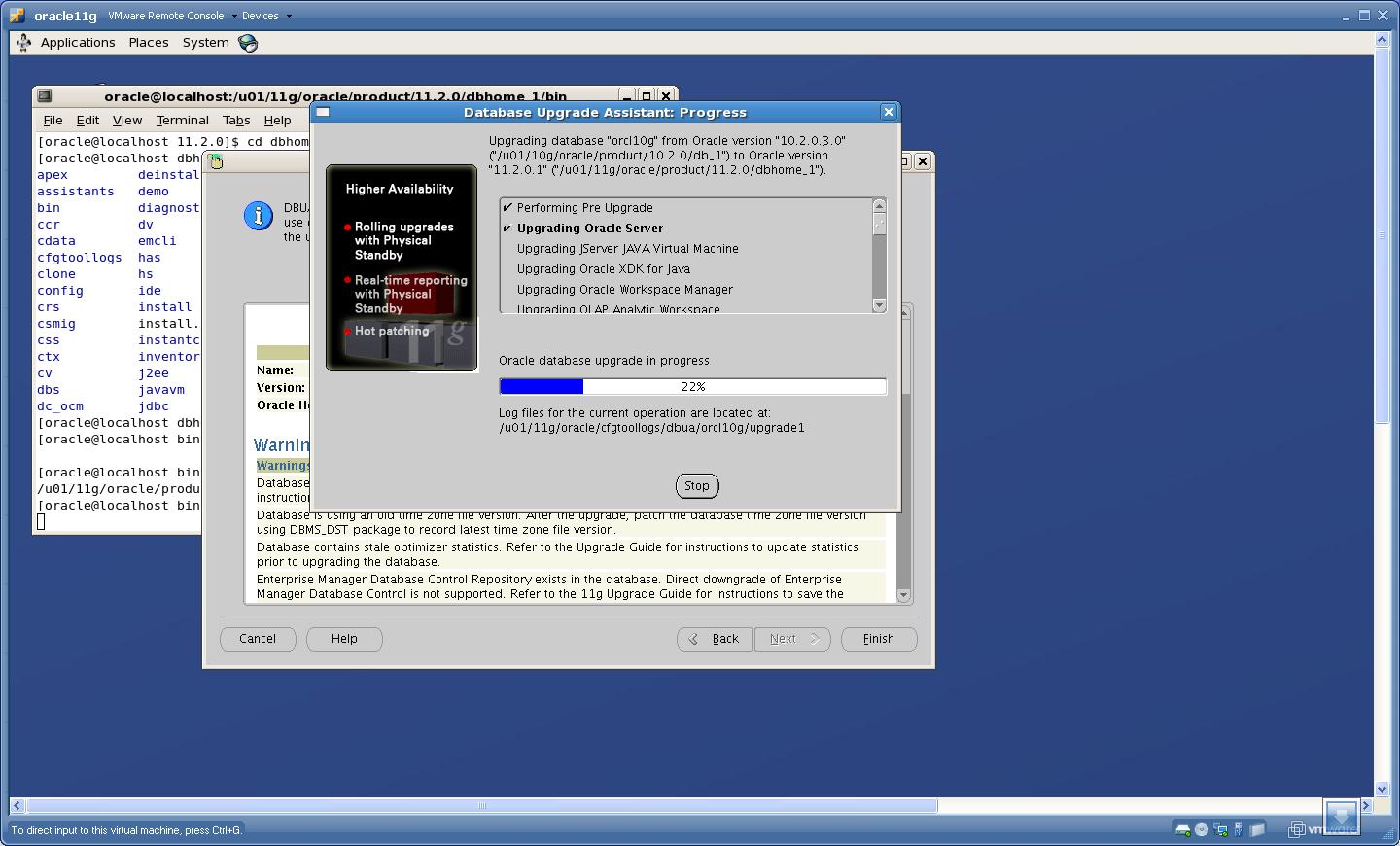
Upgrade Process is started
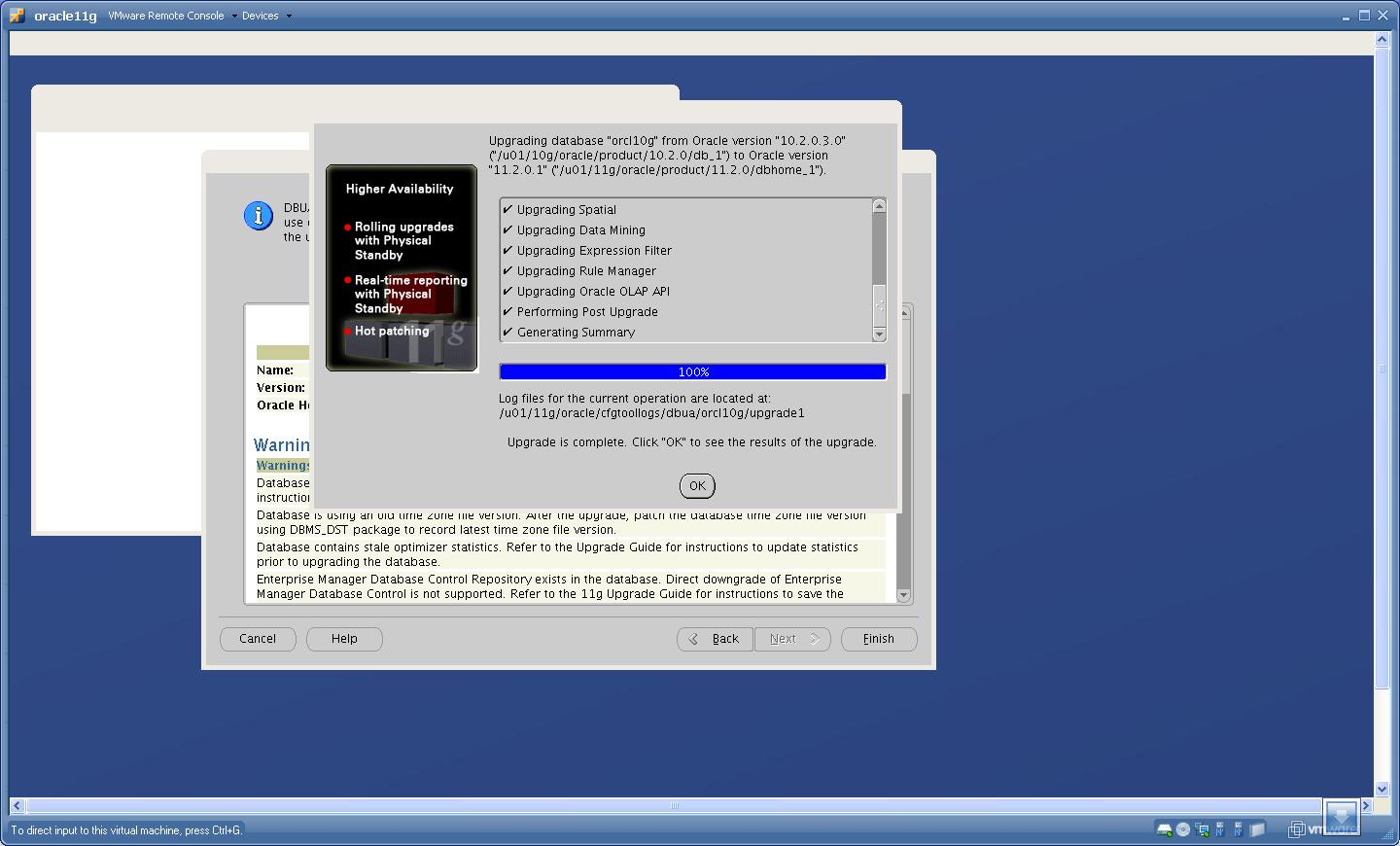
Check the Results
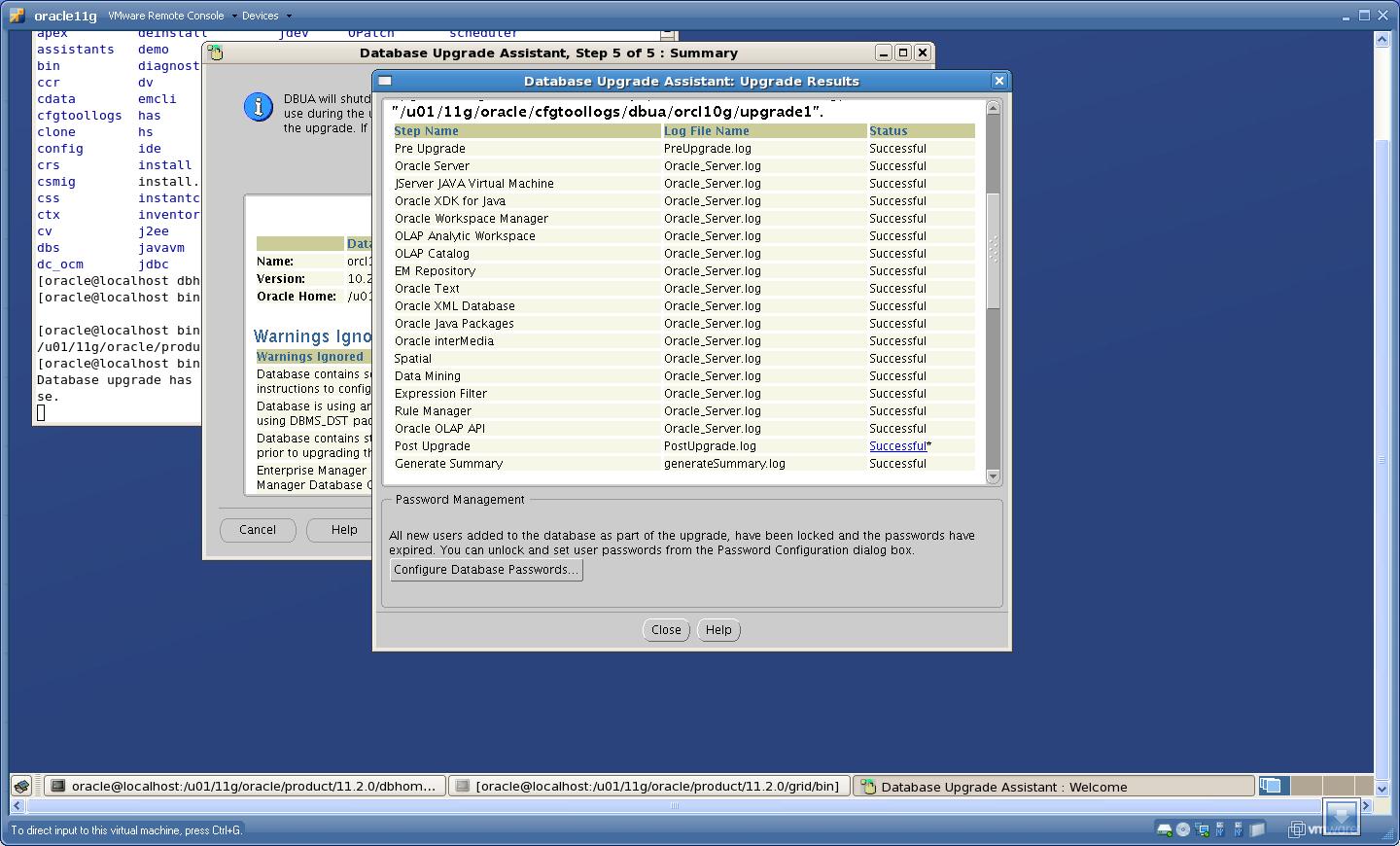 Congratulations!!!!!!!!!! Upgrade is Successful !!!!!!!!!!!!!!!
Now you are ready to use Most Powerful Database!! 🙂
Dirk Brouwer
Before upgrading read http://www.oracle.com/global/de/upgradecommunity/… and http://www.oracle.com/global/de/upgradecommunity/…
More information on upgrading you'll find at http://blogs.oracle.com/UPGRADE/
Rupesh
Nice document. It works.
Suhas Dwarakanath
Hello Saurabh,
Fantastic document ! I am about to do the upgrade (probably monday AM, IST).
Currently the R&D box is on 10.2.0.4, so I am sure I can upgrade directly to 11gR2.
I did see a note about DST file changes and incorporation in the upgrade documentation and the following Oracle support (formerly Metalink) article: 975450.1 (and patch 9146268, 977512.1).
Thing is the DST stuff seems to be cumbersome, though not impossible by any standard 🙂
Have you done this DST upgrade in your 10.2.0.3 database?
A reply in kind would be appreciated.
Again, many thanks for the time, effort and write-up!
Regards,
Suhas
Preet
11.2.0.1 (Base Release) is shipped with version 11 timezone files. If your current db (10.2.0.3) has version 11 patch already applied (select version from v$timezone_file), then no action is required. Just proceed with upgrade.
If current db has timezone file greater than version 11 or less than version 11 refer section 2 and section 3 B in Note: 815679.1 respectively.
Saurabh Sood
Hi Suhas,
I think Preet has given you a solution to your question.
@ Preet: Thanks for your reply on this.
Cheers !!!!
Saurabh Sood
Suhas
Dear Saurabh,
I am surprised you did not get the SCAN screen! I am stuck here and my entire project got postponed for another three months 🙁
Need to be more careful! DST updates are trivial, to be honest, but SCAN became a show-stopper, at least for me.
Regards,
Suhas
Saurabh Sood
Hi Suhas,
SCAN is related to “CLUSTER” install/upgrade. If you choose to install/upgrade “Single Instance” then runinstaller will not ask for any SCAN name.
Can you recall what option did you select while initiating the upgrade??
Regards,
Saurabh Sood
Suhas D
Hello Saurabh,
Thanks for responding. Ours is a two-node RAC, so SCAN obviously becomes sort of “necessary” 🙂
I will create a new VMWare RAC system next week and mess around with 11gR2 upgrade.
Many thanks again.
Regards,
Suhas
Amin
Can I upgrade ASM 10.2.0.4 to 11.2.0.2 using the grid user (OUI) and not user oracle owned ASM home?
Suhas D
Amin,
Oracle documentation says “the same user that installed the existing ASM_HOME should do the upgrade to 11gR2”.
Make sure to unset CRS_HOME env variable (if set). Also the password file should have sys as SYSASM before doing the upgrade, otherwise upgrade fails!
Login to ASM instance:
SQL> conn / as sysdba
SQL> grant sysasm, sysdba to sys;
SQL> exit
$ ls -ltr $ORACLE_HOME/dbs
The orapw should have the latest timestamp.
The above were the major hiccups I encountered during a successful upgrade from 10gR2/11gR1 to 11gR2 on a two-node RAC (VMWare)
Feel free to e-mail me @[email protected]
Amit
Thanks Suhas for replying
Cheers
Amit
Suhas D
You are welcome, Amit!
FYI – I have created a 24 page document for RAC install and upgrade with OCFS, ASMLib, SCAN, etc. This was created by my own experience and everything was executed by me and then only entered into the document.
Feel free to contact me at any step if you have any issues; if there are no issues, I congratulate you for doing a thorough job 🙂
Best luck!
Suhas
bhasker
Hi Suhas,
Can i have your doc for RAC Up-gradation. I had schedule RAC Up-gradation this week.It is help full to me .
Thanks ,
Bhasker.
Suhas D
Dear Bhasker,
I do not know how to send the document. You have not given any e-mail Id. And I do not see any way to upload an attachment here on the website.
Regards,
Suhas
bhasker
Hi Suhas, Thanks for replay,
Please send a attachment to [email protected] .
It is very urgent for me ,as upgrade is schedule this weekend. And i need to test it.
Thanks & Regards,
Bhasker.
bhasker
Hi Suhas,
Please send me the attachment to mail id as it is [email protected] .
It is urgent for me as up-gradation schedule is this weekend.
Thanks & Regards,
Bhasker
bhasker
Hi Suhas,
Please send attachment to [email protected] .
It is urgent as up-gradation is schedule to this weekend.
Thanks & Regards,
Bhasker
bhasker
Hi Suhas,
Please send me attachment to [email protected].
It is urgent for me as up-gradation is scheduled this weekend.
Thanks & Regards,
Bhasker.
Suhas D
I have sent the doc to your gmail account
don
Hi Suhas,
Can you please share the up-gradation doc to me ..this is my mail id:[email protected]
suresh
Hi Suhas,
Can you please share the up-gradation doc to me ..this is my mail id: [email protected], we are planning to upgrade to Rac.
Thanks in advance.
Thanks & Regards,
suresh kumar.
suresh
Thanks for u r reply Suhas..
Sri
Hi Suhas,
Can you please send the document to [email protected]
Thanks in Advance,
Srinivas
Suhas D
Hello,
I have sent the document to Suresh, Bhasker and Srinivas.
Can someone guide me if it is possible to upload the document? It would probably help many.
It gets difficult for me to send e-mails individually.
Thanks!
Suhas
hope
you didn’t talk about listener. do you need to install the software and create a new listener for the old database before startup dbua?
i guess you don’t need to modify /etc/oratab since the dbua will modify it for you when upgrade is done, right?
Saurabh Sood
Hi Suhas,
Thanks for sharing your experience with us.
Please mail this doc to [email protected] and [email protected]
We will get it published.
With Regards,
Saurabh Sood
Jie Wu
Hi Suhas,
I am about to upgrade mu 10gR2 RAC to 11gR2 and come across your blog. Could your please share your document with me? It will be very helpful as a reference for me and I really appreciate your help.
Thanks,
Jie
hope
you didn’t talk about listener. do you need to install the software and create a new listener for the old database before startup dbua?
i guess you don’t need to modify /etc/oratab since the dbua will modify it for you when upgrade is done, right?
Suhas D
@hope
The listener will be relocated during Clusterware upgrade (ASMCA). Password, init, tnsnames etc will also be reloacted to the new home.
DBUA will change oratab (we need to make sure an entry exists for each database to be upgraded before starting the upgrade process)
hope
Thank you very much for your reply.
what oracle_home do you need to set before start dbua –is it the newer 11g oracle_home?
Suhas D
I always say: RtFD 🙂
When using DBUA to upgrade a database, we have to start the upgrade from the NEW ORACLE_HOME. You dont need to set the env variable yet.
$ /bin/dbua&
Ravi
Hi Suhas,
I just need your help in sharing 11gR2 Rac upgrade doc as we’ve a similar upgrade propose to carry out soon from 11gR1 ~ 11gR2.
Also,kindly clarify on following relevant to our environment.
We have an existing 2node 11gR1(11.1.0.6) running on solaris.I’ve gonethrough Oracle upgrade doc,it says 11gR2 requires a seperate installation
(outof place upgrade).
-Iam in the assumption with regards to the installaion,CRS may requires to cater additional IP resources (VIP & Private IP) other than SCAN as it’s already been setup.
Thanks.
Sunil Kumar Nanabala
Hi Suhas,
Can you please send the document to [email protected]
Thanks in Advance,
Sunil Nanabala
Raju D
While upgrading from oracle 10.2.0.5 to oracle 11.2.0.2 using DBUA, my upgrade is stuck at Enterprise Manager. After 24 hours also its not moved ahead, so I have killed the dbua process. I have logged on to the database and dba_registry is showing below output:
COMP_ID COMP_NAME VERSION STATUS STARTUP
—————————— —————————————- —————————— ———– ——–
CATALOG Oracle Database Catalog Views 11.2.0.2.0 VALID
CATPROC Oracle Database Packages and Types 11.2.0.2.0 VALID
EM Oracle Enterprise Manager 10.2.0.5.0 UPGRADING
How do I have to continue the upgrade from where it started.
Your help is highly appreciated.
Regards,
raju
Abhishek
So far as CATALOG and CATPROC components are VALID and there are no INVALIDs under SYS, we are good ( as these are the main dictionary components )
Please check the DBUA trace file which could give more details like why DBUA was stuck while upgrading EM.
One thing is for sure that EM component is not upgraded completely. If this DB is EM repository database , then it would be better to open SR with Oracle to do a sanity check and get assistance to get EM upgraded.
Erdal
Hi Suhas,
Can you please send the document to [email protected]
Thanks in Advance,
Erdal
Amit
Erdal,
You can find Suhas document at http://askdba.org/weblog/resource-center/ under Documents section. Direct link is at http://askdba.org/weblog/wp-content/uploads/2008/05/11gR2_Upgrade_Steps.pdf
Cheers
Amit
canasdaq
Hi Suhas ,
Can you please send the documentfor RAC Upgrade.
I really appreciate your help.
my email id [email protected]
Thanks a bunch
Amit
Please see previous comment. Article is at
http://askdba.org/weblog/wp-content/uploads/2008/05/11gR2_Upgrade_Steps.pdf
Dennys Montero
Suhas D, good afternoon, I am beginner in this from the database, I have an Oracle database on a Linux server, 10g release 10.2.0.1.0, I want to upgrade to 11gR2. I need to do step 1. Upgrade the ASM instance? or I can go directly to step 2. Upgrade the database?
Which is exactly ASM instance? instance_groups string
instance_name string lega
instance_number integer 0
instance_type string RDBMS
and last question How I can to know if I have installed the ASM instance?
Thanks for the support.
Saurabh Sood
Hi Dennys,
If you want to upgrade to 10g RAC to 11gR2 RAC then you need to need to Install Grid Infra and depending on whether you are using ASM or not u need to follow the steps.
IF you are not using RAC and ASM then need not to install Grid Infra.
If you using ASM only then also you need to install GRid Infra.
Just to check whether you are using ASM or not, get the list of datafiles,redologs and see where they are stored.
OR just do a ps -eaf | grep pmon and check whether you can see something like pmon_+ASM or not.
Regards,
Saurabh Sood
Raf
Hi Suhas,
Can you please share the up-gradation doc to me ..this is my mail id:[email protected]
Sanjeev
Hi Subhash, I am planning to upgrade 10g R2 RAC to 11g R2 Rac on E-business R12. Could you please send my any document for the RAC upgrade. My email id is [email protected]
Thanks
Sanjeev
Shanmugam
Thanks, It is very useful to upgrade
Shanmugam
Hi, is there any document available for RAC Upgrade from 10G R2 to 11G2 (11.2.0.3)
Saurabh Sood
Hi,
The best thing to look for is the upgrade guide.
If you face any dificulties you can post the query in our forums.
Thanks,
Saurabh Sood
Kathirvel
Hi Suhas,
Can you please share the up-gradation doc to me ..this is my mail id:[email protected]
Regards
Kathirvel G
Kathirvel
Hi Suhas,
Can you please share the up-gradation doc to me ..this is my mail id:[email protected]